
Introducing PxlMonk
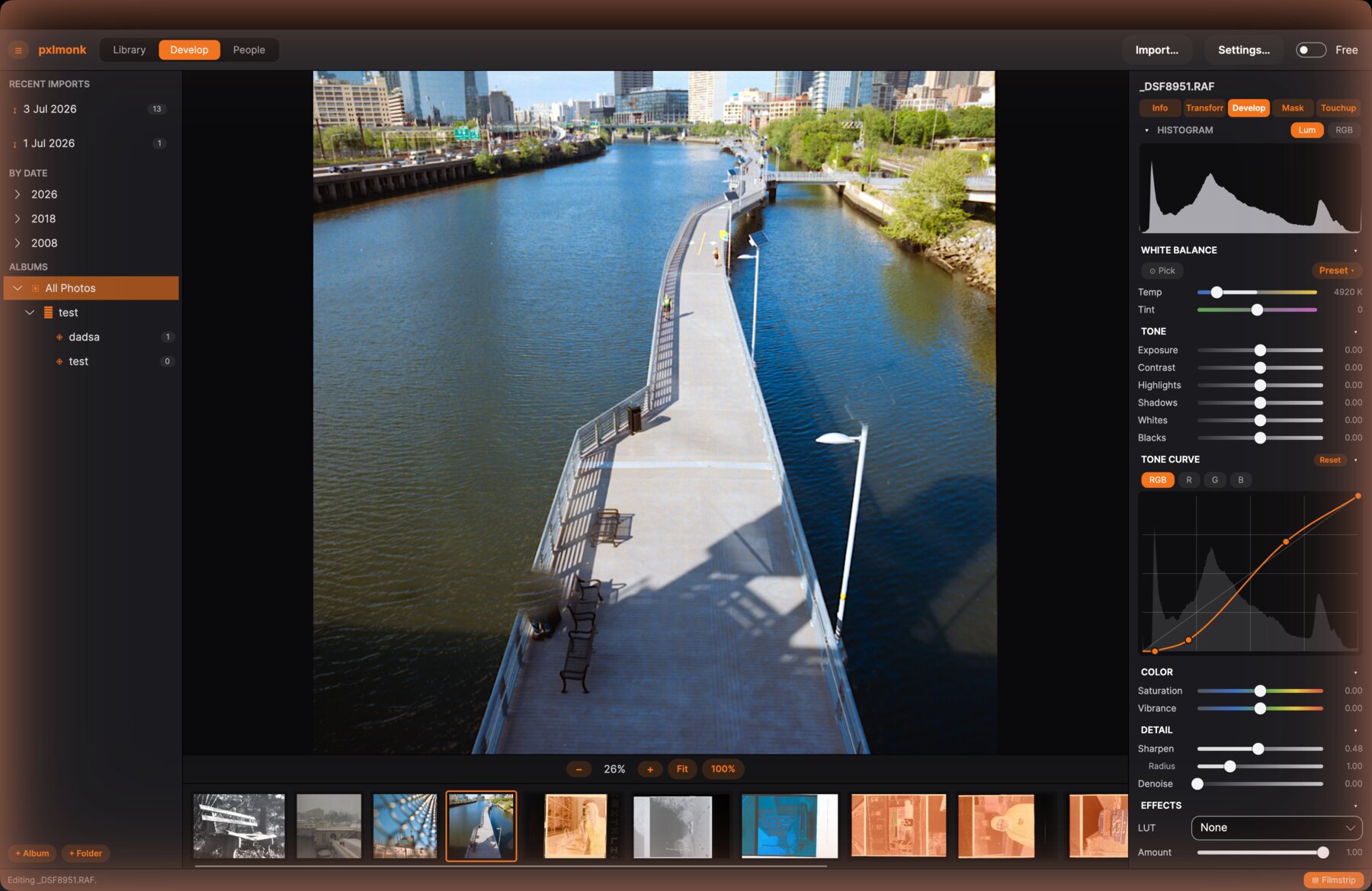
I shoot both digital and film, and for years I’ve fought the same problem every hybrid photographer runs into: RAW development and film scanning live in two completely different toolchains. Lightroom-style editors treat a film scan as a JPEG with weird colors. Dedicated film software doesn’t do RAW at all. Neither wants to talk to the other.
Why film conversion deserves to be a first-class feature
PxlMonk starts from a different premise: a film scan and a digital RAW file are the same kind of problem — a sensor (or a scanner) recorded some light, and the job of the editor is to turn that recording into a photo you actually want to look at. So film ingest is a real stage in the same pipeline, before white balance and everything else, with proper density-space inversion, per-channel level matching to remove the orange base mask, and a paper-grade tone curve — not a generic "invert" filter bolted onto an image editor.
Local-first, on purpose
The editing happens entirely on your machine. Your photos, your catalog and your edits never leave your computer unless you choose to export them — no cloud, no forced sync. There is no password and no registration either; the one thing PxlMonk does talk to our server about is your licence, and nothing about your images travels with it.
What it costs
PxlMonk is one price for the whole application: 129 € including VAT, paid once. There is no cut-down free edition and nothing is held back — film negative conversion, creative 3D LUTs and 16-bit TIFF export are simply part of the program. New versions and bug fixes keep coming permanently; new features are unlocked for you for twelve months and then stay unlocked forever. Before you spend anything, there are thirty days to try the whole thing.
What’s next
PxlMonk is still in development. If you want to know the moment it’s ready to download, join the waitlist — that’s the only thing that email address will ever be used for.
Be the first to edit with PxlMonk
Join the waitlist and we’ll email you the moment it’s ready to download.
Join the waitlist